Products per category
CappedA product always belongs to a category, so if the picker is empty create one on the Categories tab first.
Five products in each category on Free. Pro is unlimited.
- Products
- Add product
Every CaterWay feature, the screen it lives on, and whether it is on the free plan or Pro. This list is generated from the product itself, so it cannot promise anything the app does not do.
A product always belongs to a category, so if the picker is empty create one on the Categories tab first.
Five products in each category on Free. Pro is unlimited.
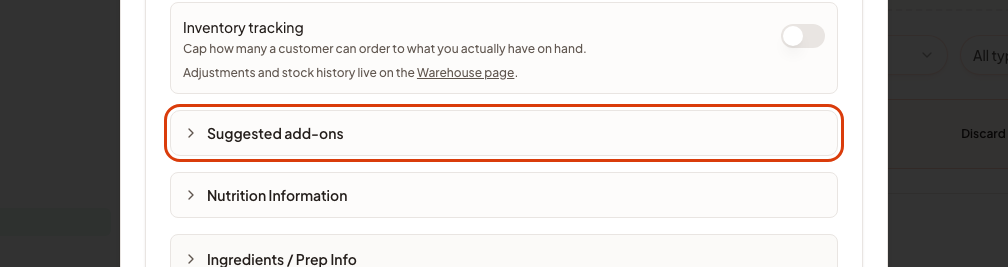
The "Advanced" card is collapsed until you click it. The customer sees these in the calculator right after they pick this product.
Extras live inside the product itself, not in a separate popup like suggested add-ons: the customer ticks them where they pick the product. It is its own step when you edit a product, between "How you sell it" and "Advanced". An option can carry a price, charged per person or once for the whole line, or you can leave the price blank to make it free, which suits dietary choices like gluten-free. Options with no question above them stand alone.
Categories are the groups a customer picks from in the calculator, such as starters or drinks. Every product has to sit in one, so this comes before adding products.
Three categories on Free. Pro is unlimited.
This sets steps for this one product, for example a lower per-head price from 50 guests up.
Upload a PDF, an image or a document. It reads out the products, prices and dietary tags and shows them for you to check, and nothing is saved until you approve.
On the free plan you pick which of the extracted products to keep, up to your plan limits, instead of importing them all at once. Editing the import with your own instructions to the AI is Pro.
Pick Rental product in the card row at the top of the product form. The form then drops what a rental does not need, like allergens, nutrition and extras, and adds a Rental section with the stock count and how the quantity is counted: per guest, once per order, or left to the customer. Glasses scale per guest, a marquee does not.
The button appears once the product has at least one ingredient. Enter a number of portions to see every ingredient multiplied, then copy or print it. Only what you entered per person is multiplied.
The photo tiles sit at the top of the first card. Up to five per product, and the first one is the main image customers see.
A waiter, a chef or a bartender priced by the hour, which the customer then books alongside the food. They are set up here and appear in the calculator like anything else you sell.
One staff member on Free. Pro is unlimited. Separate from team members, who are logins for your own colleagues.
This opens the builder. Add your products first if you have not: a calculator with nothing to sell has nothing to price.
One calculator on Free. Pro is unlimited.
Replaces the random id in the link with a name you choose, which reads better in an email or on a business card.
Useful when a customer has already told you the date and headcount on the phone: they open the link and only confirm rather than re-typing it.
In the calculator's Spaces tab, under When a space is already booked for the chosen time. Take the request and flag it: the customer can still send, and you see a warning on the request. Don't accept it: booked spaces can't be chosen and a late request is turned back.
A popup interrupts the flow at a step you choose, for example "is there a lift?" before delivery. The answer lands on the quote request with everything else.
Add the fields you actually need, for example an invoicing reference or a door code, on top of the built-in name, date and guest count.
Under the Quote request and Order cards on the Basic tab. Pick Quote request, Inquiry or Booking request, and every line that names the request follows: the summary button, the form heading, the send button, the thank-you screen and the default confirmation email. Below the choice you can write your own text for each button, in each of your calculator's languages. On an order calculator there is no choice to make: every line talks about an order, and you can still write your own texts.
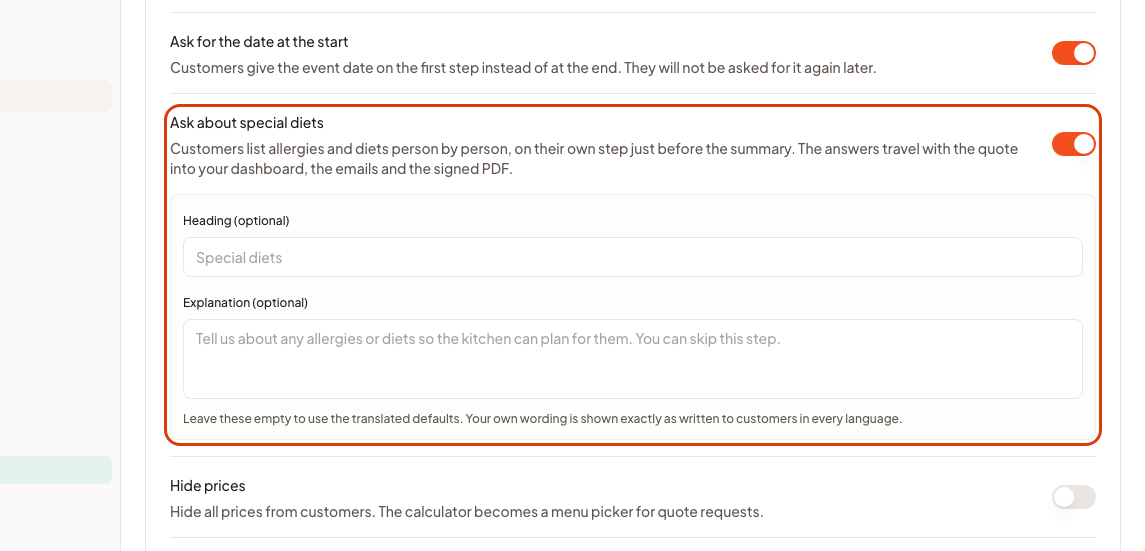
Turn this on and the customer gets a step of its own just before the summary, where they list allergies and diets one person at a time. You can replace the heading and the explanation with your own wording.
Choose which of your workspace languages this calculator offers. The customer then picks one and every price, product name and email follows. With one language, which is what the free plan includes, the calculator simply uses it.
Free includes one customer language, any of our 12, and you can change it whenever you like. Offering several for customers to choose from is Pro.
Pick a style, then set your brand colours. The preview beside the editor is the real calculator at a smaller scale, not a mock-up.
Colours, grid layout, page navigation and the product-card options are on every plan. The ready-made themes, the hero image and the finer card styling (size, style, image shape) are Pro.
The confirmation your customer gets after sending a request is written here, per calculator. Change the wording, and the customer of your lunch calculator can be told something different from the customer of your wedding one.
Open the Calculator Builder, go to the Publish tab and switch off Show the CaterWay badge under Embed Appearance. The switch is per calculator and on by default. On the free plan the line always shows and the switch is locked.
Opening hours and how much notice you need, so the date picker refuses tomorrow if you need four days.
A tab inside the Delivery & timing group, next to Fulfillment and Availability, because it carries prices of its own. Say whether this calculator delivers, collects, or both, name the areas you serve and what each one costs, and set the order value that makes delivery free.
Set how long before an event starts ordering closes, and what the customer reads instead of the menu. It applies to every arena event on this calculator. The event stays on the list marked closed rather than disappearing, so someone who came looking for it gets an answer.
One row at the bottom of the Payment card, once the order is accepted, in progress or completed. The button opens a short menu: Invoice for the full amount, or Deposit request for part of it. The due date and the deposit amount are asked in the dialog that follows, and both are prefilled. It is a payment request, not a certified tax invoice: your accounting software is still the book of record, so ask your accountant what your own bookkeeping needs.
Lists every dish on this order against the 14 EU allergens the caterer has declared for it. A dish nobody has reviewed shows "not specified" rather than a false allergen-free claim. It is a kitchen aid, not proof of legal compliance on its own.
Blocked dates stop being selectable in your calculators, so a customer cannot book a day you are already full or away.
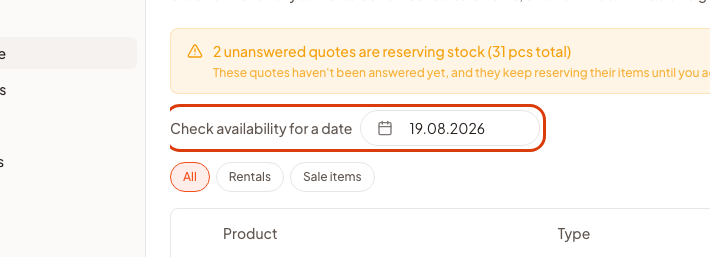
Defaults to today. For rentals this drives the Reserved and Available columns, since what is booked changes from day to day; sale items are the same regardless of the date.

Anything you upload here is available everywhere images can be picked, and there is a size limit per file rather than a total.
500 MB of images on Free, 10 GB on Pro.
Colours and your logo are on every plan; the typeface is the one part of Brand that is not. Picking one changes your calculators and your public pages together, so nothing ends up in two different fonts.
The wording customers receive when you send a quote, when they approve one, and when a reminder goes out.
Invite by email. They work inside your workspace on your plan and see your products, calculators and quotes, so they do not need their own subscription.
Rental items, the dishes and any packaging you entered on the products, with the quantities from this order and a box to tick on each row. Print it to take a paper copy in the van.
Add your story, photos and which calculators to feature. It uses your brand colours and logo automatically.
Start with the free plan, upgrade when you outgrow it
One calculator, three categories and five products per category are free for as long as you want them. Nothing above is behind a trial that expires.