Tableware sets, glasses, chafing dishes, a coffee urn. Anything that leaves for an event and comes back can be marked as a rental, an easy way to earn a little more on each order. Once a product is a rental it shows separately from your food on the quote, in the emails and on the kitchen's prep sheet, so the things that need collecting afterwards are never buried in a list of canapés.
How to mark a product as a rental
- Log in to CaterWay.
- Open Products from the menu on the left.
- Pick a product to edit (the pencil on its card opens Edit product), or add one with Add product.
- In the row What are you creating?, pick Rental product.
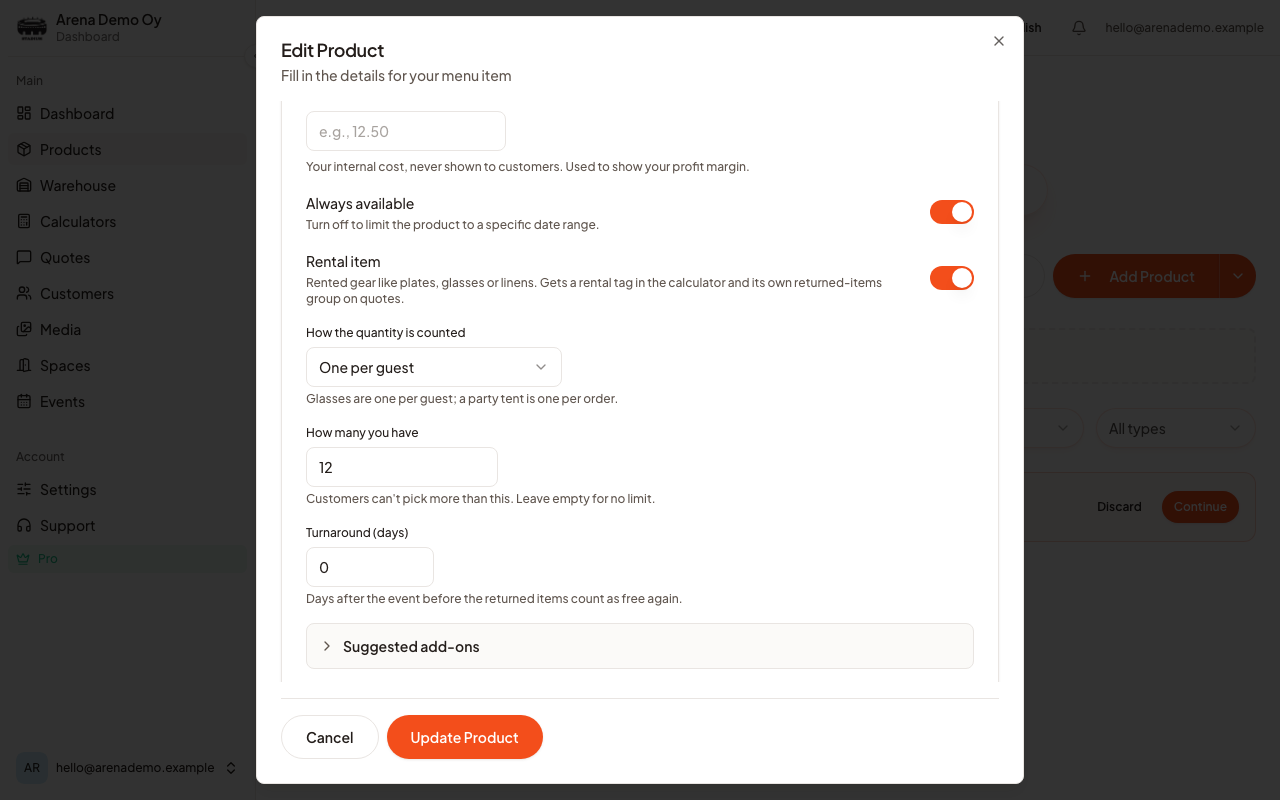
- The form now shows only what a rental needs. Scroll to the Rental section.
- Choose How the quantity is counted, see below.
- Fill in How many you have, for example 120.
- Set Turnaround (days) if the items need time between events.
- Set the price the same way as for your other products, then save.
Good to know
These settings used to sit under Advanced. They now have their own Rental section, which appears when you pick Rental product. A rental has no allergens, nutrition, ingredients or extras to fill in.
How the quantity is counted
Not everything scales with the guest list, and this is where you say so. There are three choices:
- One per guest. The obvious one for glasses, plates and napkins. Sixty guests means sixty.
- One per order (whole party). For the things there is only ever one of, whatever the headcount. A party tent, a PA system, a coffee urn.
- Customer chooses the amount. For anything in between, where the customer knows better than a formula does. Extra tables, say.
How many you have
How many you have caps what a customer can put on one booking. If you have 120 glasses, nobody can order 200.On its own this is a per-order cap, not a calendar. If you want CaterWay to know that the 120 glasses going out on Saturday are not also available for Saturday's other event, that is the Warehouse page, which counts what is already booked on a given date and subtracts it. See See what you have, and what is already promised.
Turnaround days
Turnaround (days) is the gap between an event ending and the items being genuinely ready again: washing, drying, transport back. Set it to two and the glasses that came back on Sunday are not offered to anybody until Tuesday.This field is free on every plan and costs nothing to fill in, but it only changes what is offered once the Warehouse page is doing the date-aware counting, which is Pro.
What the customer sees
A For rent badge, so nobody thinks the coffee urn is theirs to keep. Otherwise a rental is added just like any other product, with a quantity and a price.
Good to know
- A rental line is priced and totalled exactly like a normal product. Only its place on the list is different.
- Turn the rental setting off and the product goes back to normal, and the separate group is gone.
- There is no deposit field. If you take a deposit, add it as its own line or note it in the quote message.
- Rentals cannot use the Inventory tracking toggle, because the quantity field above is already doing that job for them.
Was this article helpful?