The short answer
Google Forms is free, familiar and quick to set up. What it cannot do on its own is price a catering request. Turning a response into a quote is still your job, by hand or with formulas in a linked Google Sheet.
CaterWay shows the customer a live price while they build their order, then carries the request through to an accepted, signed quote. If you price a few enquiries by hand and that works, Google Forms costs nothing. If you want the pricing done for you, it does not.
Feature by feature
Built for catering
Google Forms collects any answers you ask for. It has no idea what a catering quote is.
- CaterWay
- Built for catering quotes
- Google Forms
- A general form builder, often paired with Google Sheets
Cost
No cash cost is a real advantage, especially at low volume.
- CaterWay
- Free plan with no time limit. Pro is €49/month, or €39/month billed yearly (excl. VAT).
- Google Forms
- Free with a Google account
Familiarity
- CaterWay
- A new tool to learn
- Google Forms
- Most people have filled in a Google Form before
On your website
- CaterWay
- Embeddable per-guest calculator in 12 customer languages (extra languages on Pro)
- Google Forms
- The form can be embedded. It does not calculate a price.
Customer sees a price before submitting
- CaterWay
- Yes, live as they choose from the menu
- Google Forms
- No native price calculation. Third-party add-ons exist.
Request to priced quote
- CaterWay
- Priced from the menu you set up once
- Google Forms
- Manual, or with formulas you build in Sheets
Customer accepts and e-signs
- CaterWay
- Yes, on every plan. The customer types their name to accept. CaterWay stores the timestamp and IP address and produces a signed PDF.
- Google Forms
- Not a Google Forms feature
Follow-up emails
- CaterWay
- Scheduled follow-up, event-prep and thank-you emails
- Google Forms
- A response receipt email only. No follow-up automation.
Calendar of booked events
- CaterWay
- Created when the customer accepts, with a feed you can subscribe to
- Google Forms
- A Google Calendar entry you add by hand
Stock and rentable items
- CaterWay
- Warehouse stock with a cap, so an item cannot be booked twice (Pro)
- Google Forms
- Only if you build it into a linked Sheet
Delivery areas and fees
- CaterWay
- Set once, applied to every quote
- Google Forms
- Worked out by hand for each response
Allergen sheet for an event
- CaterWay
- Generated as a PDF from the quote
- Google Forms
- A separate document you keep up to date
Tracking requests
Sheets shows every response. It does not track where each quote stands.
- CaterWay
- A quote inbox with statuses
- Google Forms
- A spreadsheet row per response
Removing a customer (GDPR)
- CaterWay
- Built in
- Google Forms
- You delete the row and check nothing else refers to it
Google Forms details come from its own public pages, checked 7 October 2026. Prices change; check the vendor's site before you decide.
Why Google Forms feels like enough at first
Google Forms is good at what it does. It collects structured answers from people who do not need an account. It is free, and customers already know how to use it. Link it to a Google Sheet and every response lands in a row.
For occasional catering at low volume, a form plus a Sheet you check once a day is a workable system. Switching away from it is not automatically worth the effort.
Where it stops helping
A Google Form has no menu with prices attached. It can ask "how many guests?" and "any menu wishes?", but it cannot multiply the two into a number. Someone still opens each response, works out a price against a price list or a Sheet formula, and replies by email. While that happens, the customer waits.
What CaterWay does that Google Forms cannot
A form was never built to price anything. A catering business prices menus for guest counts all day.
- Live pricing on your own website. The calculator shows the customer a price while they build their order, not after they submit and wait for your reply.
- From request to signed quote. The priced quote goes to the customer. They accept on their phone by typing their name, and you get a signed PDF back. A form response stays a spreadsheet row until you act on it.
- Follow-up on a schedule. Follow-up, event-prep and thank-you emails go out without you sending each one.
- Calendar, stock and delivery together. An accepted quote creates a calendar event. On Pro, warehouse stock and rentable items have a cap so they cannot be double-booked. Delivery areas and fees apply on their own.
- Allergen sheets. Generated from the quote, not kept as a separate document next to the spreadsheet.
What CaterWay does not do
CaterWay doesn't take online payments, sync with accounting software or schedule staff shifts, and it has no public API. Invoices and deposit requests are on Pro, and you mark them paid by hand.
Not ready to switch? The free menu-to-quote tool needs no signup, so you can compare it with your current form first.
What CaterWay looks like
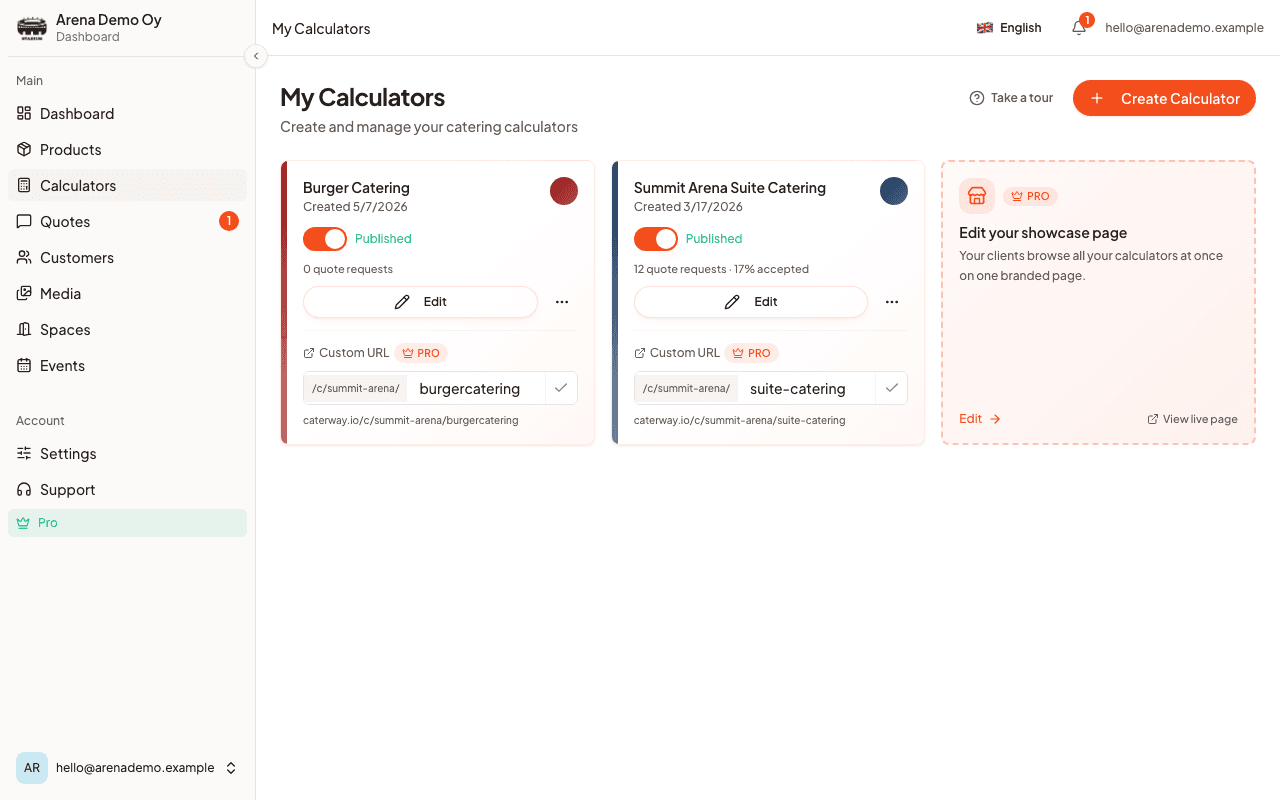
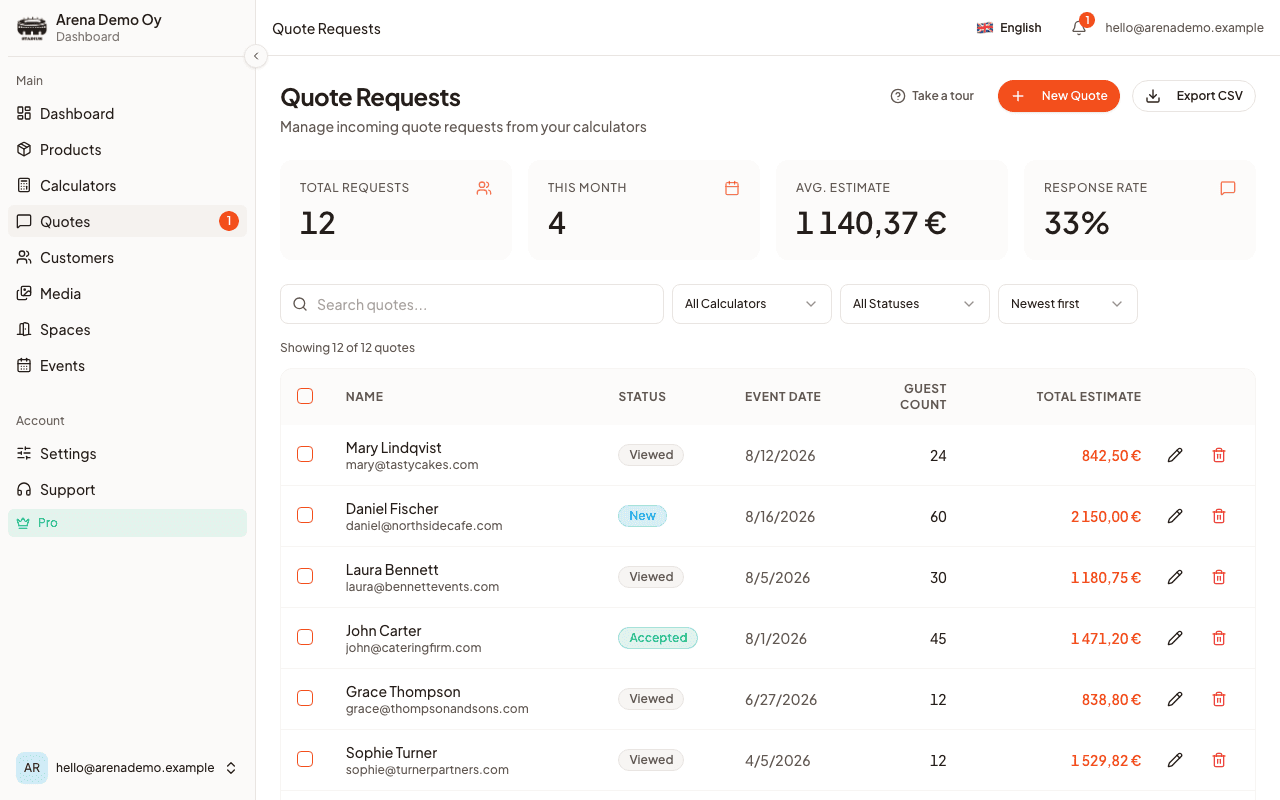
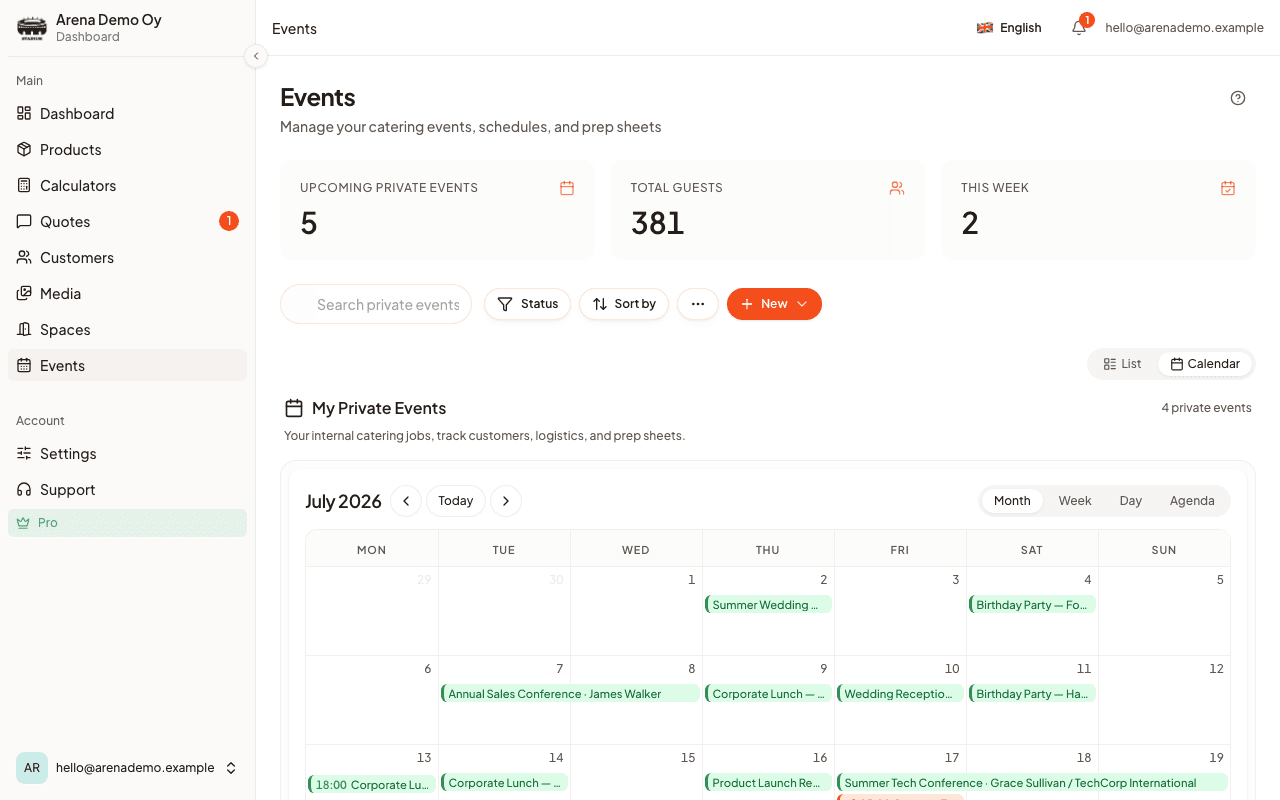
Which one fits you
Choose CaterWay if
- You want customers to see a price before they contact you
- Pricing form responses by hand takes real time each week
- You want an accepted, signed quote and a calendar event, not a spreadsheet row
- You rent out items or track stock and want to stop double-booking them
- You want to try it on a free plan first
Choose Google Forms if
- You get few enquiries and do not mind pricing each one by hand
- You want the simplest free option and already use Google Workspace
- You are comfortable building your own Sheets formulas for rough pricing
- You use forms for much more than catering quotes and want one flexible tool
Our take
Google Forms is the right starting point for many small caterers. It is free, familiar and fast to set up, and at low volume that is enough. What it can't do is close the gap between a customer's question and a price.
CaterWay starts where the form stops. It prices the request live, turns it into a signed quote and keeps the calendar in step. If that gap costs you bookings, try the free plan next to your current form.
CaterWay wrote this comparison, so read it as one side of the story and try both products if you can.
Sources
Checked 7 October 2026.
- Google Forms: product overview · Share by link, email or social media, or embed on a website.
- Google Forms help: view and manage responses · Response receipts: respondents can get a copy of their answers.
- Google Workspace FAQ · Calls Google’s consumer apps free. Anyone can respond to a form.
- Google Workspace Marketplace · Where third-party add-ons for Google Forms are listed.
- CaterWay pricing · Free plan, Pro at €49/month or €39/month billed yearly, excl. VAT.
Frequently asked questions
Can Google Forms handle catering quote requests?
It can collect the details: event date, guest count, menu wishes and contact details. It cannot price the request. A Google Form has no menu with prices, so someone still opens each response and works out a quote by hand or in a linked Google Sheet.
Can Google Sheets calculate catering prices from a form response?
With formulas, yes. A form can feed responses into a linked Sheet, and a QUERY or VLOOKUP formula can turn a guest count and menu choice into a price. You build and maintain it yourself, and it lives apart from the form, so the customer sees no price until you send one.
Is Google Forms free for a catering business?
Yes. Google Forms and Google Sheets are free with a Google account, which is a real reason they are so widely used. The cost shows up as time: building the form, building the pricing formulas, and turning every response into a quote by hand.
What does CaterWay do that Google Forms cannot?
CaterWay shows the customer a live price before they submit, because the calculator is built from your menu. The request becomes a priced quote, the customer accepts and signs on their phone, a calendar event is created, and follow-up, event-prep and thank-you emails go out on a schedule. Google Forms stops at collecting the response.
Does CaterWay handle payments and invoices?
CaterWay does not take online card payments and does not sync with accounting software. Invoices and deposit requests, with a PDF and overdue reminders, are on Pro. You mark them paid by hand.
Should a small caterer switch from Google Forms to CaterWay?
If you get a few enquiries and don't mind pricing each one by hand, Google Forms costs nothing and works. If customers wait days for a price, or you lose track of which responses you have quoted, that gap is what CaterWay's calculator and quote inbox close. CaterWay has a free plan, so trying it costs nothing either.