The short answer
Excel is flexible, cheap or free, and the desktop app works offline. For a caterer with a few quotes a month, a well-built workbook does the job.
A spreadsheet has no idea what a catering quote is. You build the per-guest formula, the stock tally and the customer list, and you maintain them by hand. CaterWay comes with the calculator, stock tracking and follow-up emails already built. For occasional, simple bookings, Excel is hard to beat on cost. For regular quote requests, the upkeep is the real price.
Feature by feature
Built for catering
Excel does whatever you build into it, but you build all of it yourself.
- CaterWay
- Built for catering quotes
- Excel
- A general-purpose spreadsheet
Cost
No extra cost is a real advantage at low volume.
- CaterWay
- Free plan with no time limit. Pro is €49/month, or €39/month billed yearly (excl. VAT).
- Excel
- Excel for the web is free with a Microsoft account. Desktop Excel comes with Microsoft 365.
Flexibility
A spreadsheet has no opinion about how you work. That is a strength and a burden.
- CaterWay
- Set up around catering work
- Excel
- Can be shaped into almost anything
On your website
- CaterWay
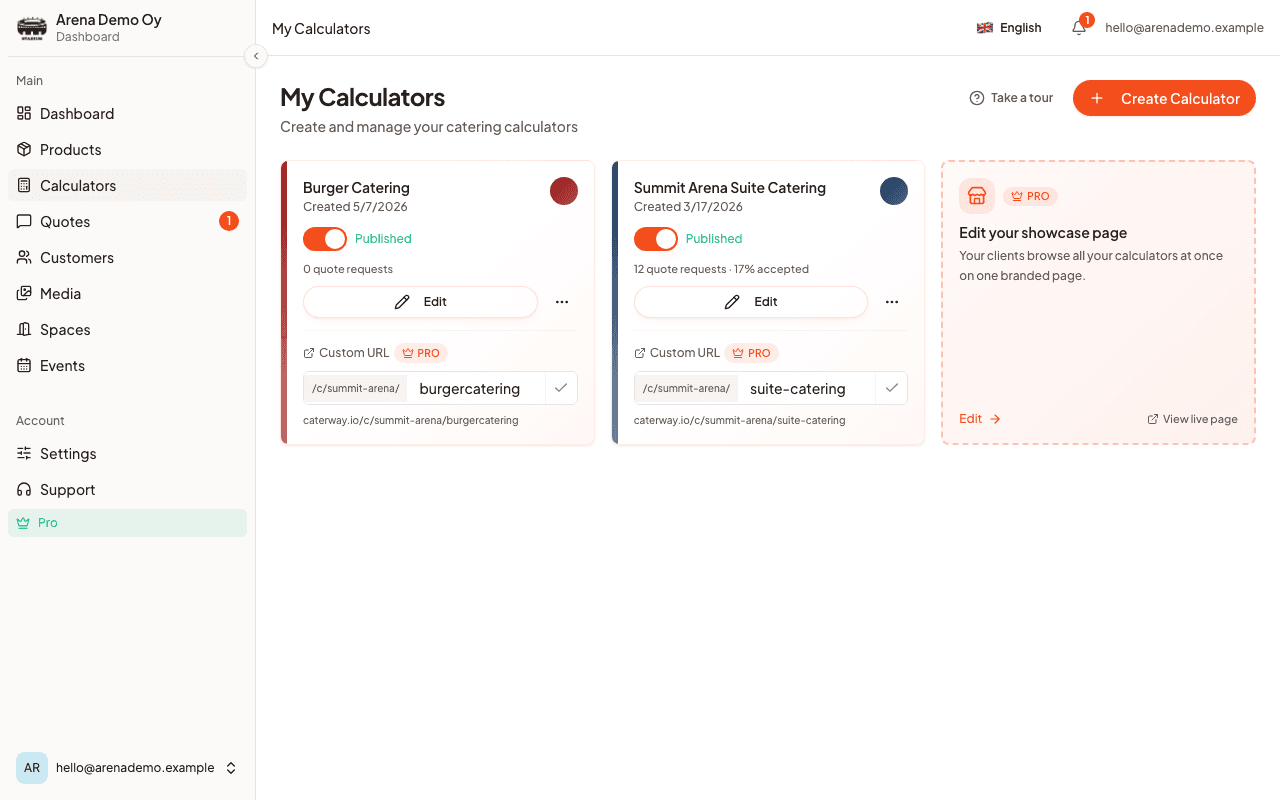
- Embeddable per-guest calculator in 12 customer languages (extra languages on Pro)
- Excel
- Can be embedded read-only or as a throwaway calculator, but the visitor's input is never saved or sent to you
Request to priced quote
- CaterWay
- Priced from the menu you set up once
- Excel
- You type in the details and maintain the formulas
Customer accepts and e-signs
- CaterWay
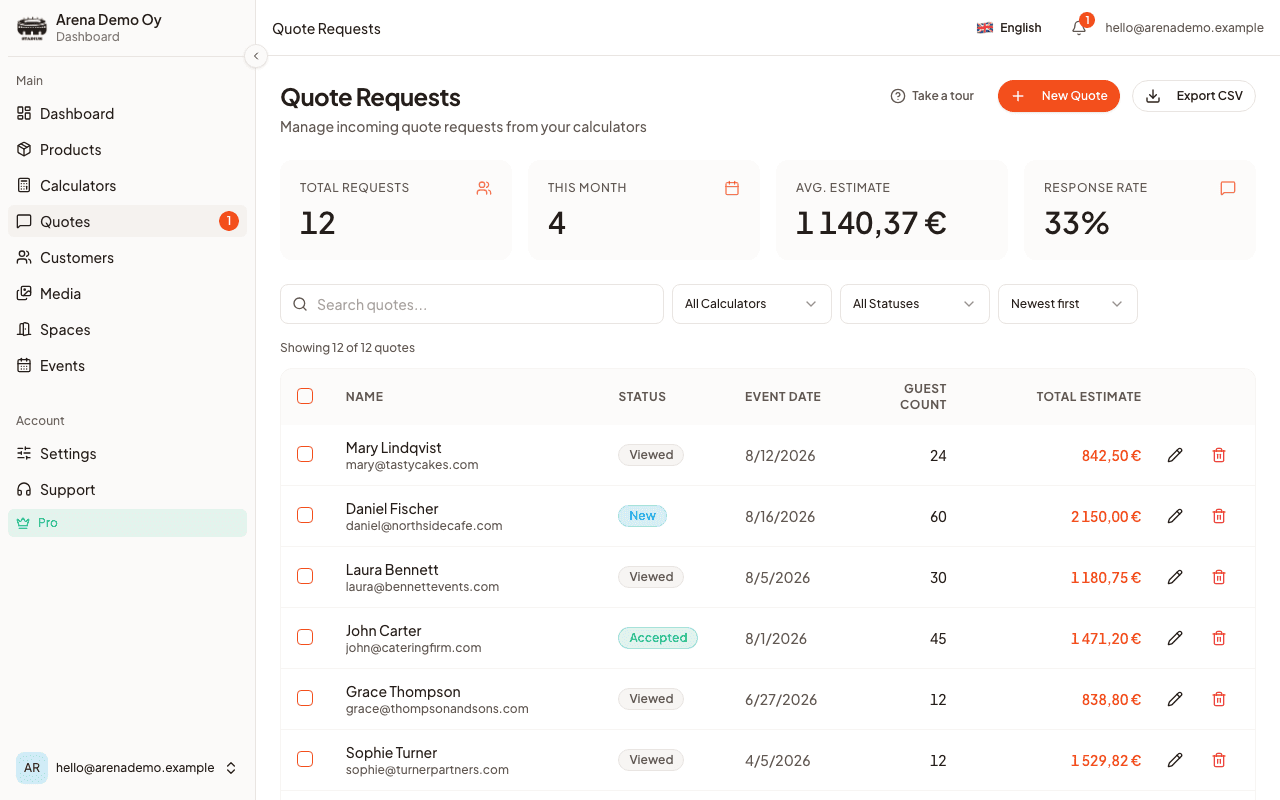
- Yes, on every plan. The customer types their name to accept. CaterWay stores the timestamp and IP address and produces a signed PDF.
- Excel
- Not an Excel feature
Follow-up emails
- CaterWay
- Scheduled follow-up, event-prep and thank-you emails
- Excel
- Manual, if you remember to check the sheet
Calendar of booked events
- CaterWay
- Created when the customer accepts, with a feed you can subscribe to
- Excel
- A tab you keep in step by hand
Stock and rentable items
- CaterWay
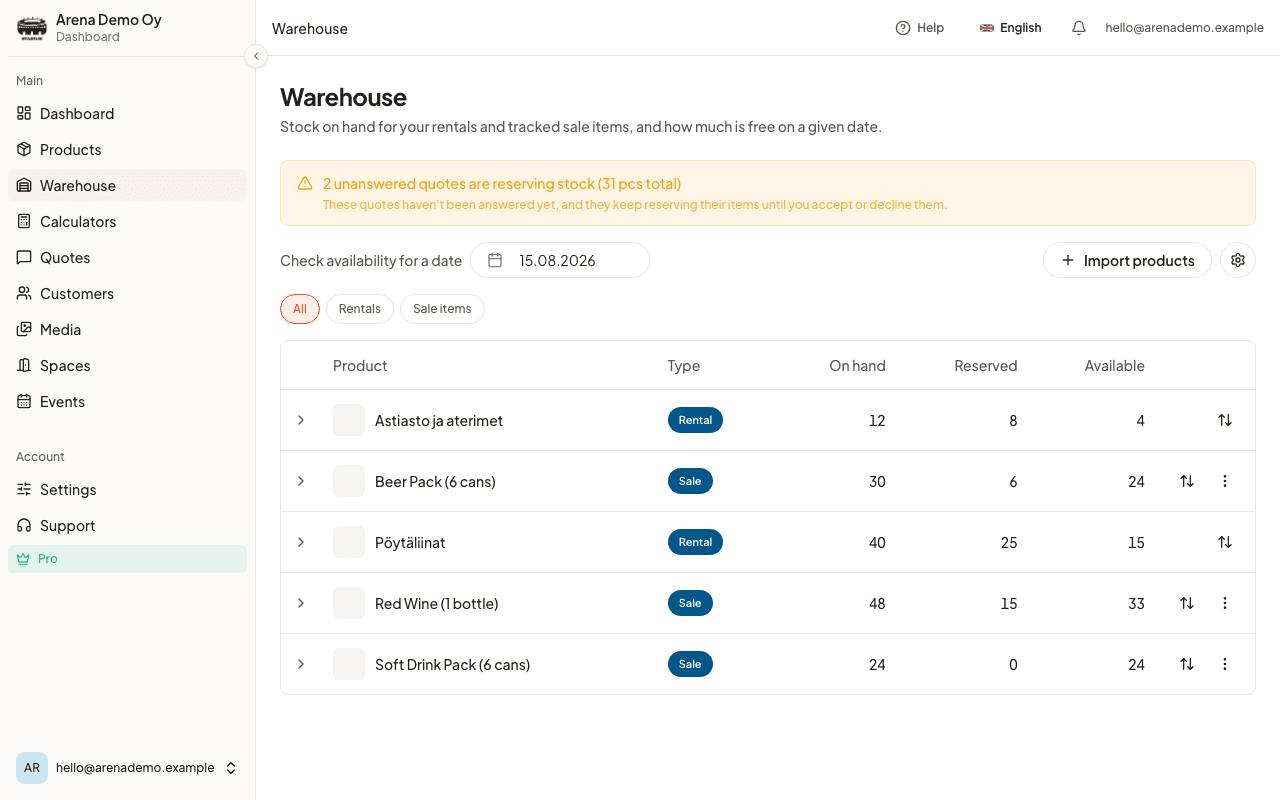
- Warehouse stock with a cap, so an item cannot be booked twice (Pro)
- Excel
- A running tally you update by hand
Delivery areas and fees
- CaterWay
- Set once, applied to every quote
- Excel
- Worked out by hand each time
Allergen sheet for an event
- CaterWay
- Generated as a PDF from the quote
- Excel
- A separate document you keep up to date
Adult and child pricing
Excel can do this. You build and maintain the formula.
- CaterWay
- Built in as a guest split
- Excel
- A second formula column you add yourself
Works offline
- CaterWay
- No, it is a web app
- Excel
- Desktop Excel, yes
A broken formula
- CaterWay
- Prices come from your menu and are calculated the same way every time
- Excel
- A wrong cell reference gives a wrong price with no error
Removing a customer (GDPR)
- CaterWay
- Built in
- Excel
- You delete the row and check nothing else refers to it
Excel details come from its own public pages, checked 7 October 2026. Prices change; check the vendor's site before you decide.
Where Excel is the better choice
Excel wins on two things that matter to a small caterer: cost and flexibility. Excel for the web is free with a Microsoft account, and if you already have Microsoft 365, the desktop app costs nothing extra. A spreadsheet has no fixed idea of what a catering business looks like, so you can make it a booking log, a rough profit calculator and a supplier list in one file.
Desktop Excel also works offline, which helps when you quote from a venue with no signal. It doesn't depend on a software company's roadmap or pricing. If you run a few events a month next to a day job, zero cost and full control is a reasonable choice, and switching to any paid tool, CaterWay included, is not automatically worth it.
Where the spreadsheet breaks down
The failure is rarely dramatic. A formula gets dragged one row too far. A menu item is renamed in one tab but not another. A quote goes out from an old copy of the file because the latest one was on someone else's laptop. None of that throws an error. It just puts the wrong number on a real quote, and you find out when the customer asks why the invoice doesn't match.
What CaterWay does that a spreadsheet cannot
Excel is a good tool. The gap is scope. A spreadsheet is a grid of cells, and a catering business needs a quote workflow its customers can use.
- A calculator that sends you the request. Customers pick menu items, enter a guest count and see a live price on your website. When they send it, you get the request. An embedded Excel workbook can show a price, but the visitor's input never reaches you.
- From request to signed quote. The priced quote goes to the customer. They accept on their phone by typing their name, and you get a signed PDF. A spreadsheet has no such step.
- Follow-up on a schedule. Follow-up, event-prep and thank-you emails go out without you sending each one. A spreadsheet only reminds you if you build a separate system and remember to check it.
- Calendar and stock that stay in step. Accepting a quote creates a calendar event, with a feed you can subscribe to elsewhere. On Pro, warehouse stock and rentable items have a cap, so you can't quote out more chafing dishes than you own.
- Delivery areas and allergens. Set once and applied to every quote, with an allergen sheet you can hand to the kitchen and a prep sheet built from the guest count.
What CaterWay does not do
CaterWay doesn't take online payments, sync with accounting software or schedule staff shifts, and it has no public API. Invoices and deposit requests are on Pro, and you mark them paid by hand.
Not ready to leave the spreadsheet? The free menu-to-quote tool needs no signup. You can also keep your workbook as a backup while you try the free plan.
What CaterWay looks like
Which one fits you
Choose CaterWay if
- You quote often enough that formula upkeep costs real time
- You want customers to see a live price on your website and send you the request
- You rent out items or track stock and want to stop double-booking them
- You want an accepted, signed quote, not a priced file in your outbox
- You want to try it on a free plan first
Choose Excel if
- You run a few events and want no extra cost
- You are comfortable building and maintaining your own formulas
- You need to work offline
- Your workflow is unusual and a fixed tool would get in the way
Our take
Excel isn't wrong for catering. It is general-purpose, and that is what makes it flexible and cheap. For a small number of events the trade is fine. Volume changes it: the more quotes you send, the more time goes into formulas, and the higher the chance one of them is wrong on a quote you already sent.
CaterWay doesn't try to replace what a spreadsheet is good at. It takes over the part a spreadsheet was never built for: per-guest pricing your customers can use, quotes they can accept and sign, and the calendar and stock that follow.
CaterWay wrote this comparison, so read it as one side of the story and try both products if you can.
Sources
Checked 7 October 2026.
- Microsoft Excel: product page · Desktop Excel comes with Microsoft 365.
- Microsoft 365 for the web · Excel for the web is free with a Microsoft account.
- CaterWay pricing · Free plan, Pro at €49/month or €39/month billed yearly, excl. VAT.
Frequently asked questions
Is Excel good enough for a small catering business?
For a few quotes a month, a well-built workbook is fine. Excel for the web is free with a Microsoft account, and desktop Excel comes with Microsoft 365. Trouble starts as volume grows and one workbook becomes the quote log, the stock list and the customer list. Then one wrong formula reference can change a price on a live quote without any warning.
Can Excel calculate per-guest catering prices?
Yes, with formulas you build and maintain. A SUMPRODUCT or VLOOKUP setup can multiply menu items by guest count and add delivery fees. It works until an item is renamed or a formula is dragged over the wrong row. Neither throws an error. CaterWay's calculator does the same arithmetic against a menu you set up once, and the customer sees the price on your website.
Can customers use an Excel price calculator on my website?
You can embed an Excel workbook read-only or as a throwaway calculator. The visitor's input is never saved and never reaches you as an enquiry, so they still have to email or call. CaterWay's calculator sends you the request with the price and the customer's details.
What does CaterWay do that a spreadsheet cannot?
CaterWay turns a priced quote into a signed booking in the browser. The customer accepts and signs on their phone, a calendar event is created with a subscribable feed, and follow-up, event-prep and thank-you emails go out on a schedule. On Pro it also caps warehouse stock and rentable items, so a booked item cannot be quoted twice.
Is CaterWay more expensive than Excel?
In cash, usually yes. Excel for the web is free with a Microsoft account, and desktop Excel adds nothing if you already have Microsoft 365. CaterWay has a free plan with one calculator, and Pro costs €49/month, or €39/month billed yearly, excl. VAT. Pro adds more calculators and products, warehouse stock, and invoices and deposit requests. For occasional events, Excel is the cheaper option.