Every confirmed event, arena event, blocked day, and open request lives on one calendar. No more flipping between a list and a paper diary to check if a Saturday is free.
Getting there
Open Events in the sidebar, then switch the List / Calendar toggle at the top of the page to Calendar. Your choice is remembered for the session, so navigating away and back doesn't dump you back into the list.
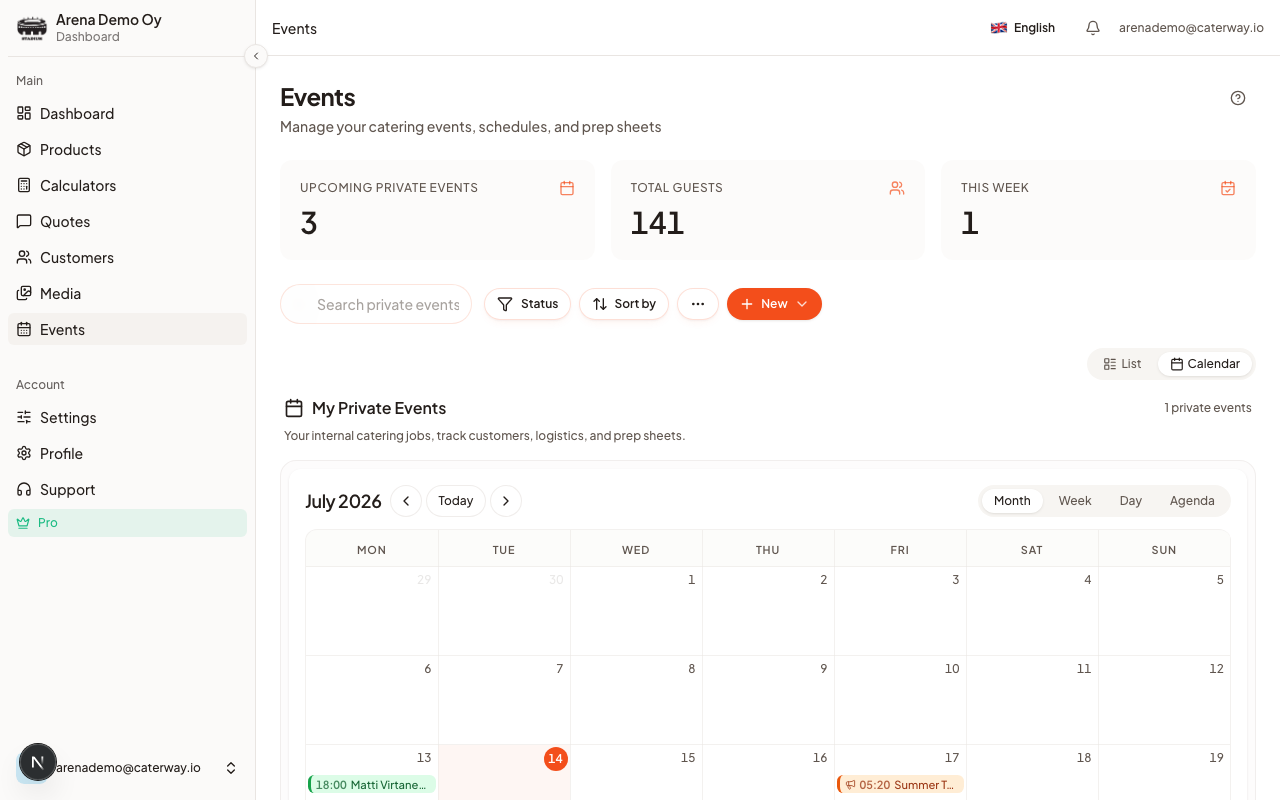
Four views
Inside the calendar, switch between Month, Week, Day, and Agenda with the pill switcher above the grid (Week is hidden on phones: a seven-day grid doesn't fit). Whichever view you land on is remembered separately for phone and desktop, so a caterer who lives in Week view on a laptop still gets Agenda on their phone.
- Confirmed and in-progress events, arena events, and pending quote requests each get their own colour and icon (see the legend under the grid).
- On a phone's month view, entries collapse to small coloured dots. Tap or long-press a day to open a peek sheet listing everything on it, with buttons to log a new order or jump into the full day view.
Moving an event
Drag a chip to a new day, or drag its edge to lengthen or shorten it (time-grid views only). Nothing saves immediately. A confirmation dialog appears first:
Siirretäänkö tapahtuma? shows the old date crossed out and an arrow to the new one, with Peruuta and Siirrä buttons. Only Siirrä commits the change; closing the dialog any other way (Esc included) snaps the chip back to where it was.Once confirmed, a toast confirms the move with an Kumoa (Undo) action that puts the event straight back if you change your mind.
Creating from the grid
Tap an empty day (or drag across several) to open the quick-order sheet pre-filled with that date. Dragging across multiple days on month view instead opens a chooser. See Multi-day events.
Triaging pending requests
Quote requests that haven't been accepted yet show up as dashed Pending chips. Tap one to open a triage sheet with the guest count, price estimate, and Accept / Decline buttons, plus Open quote if you want the full detail view first. If the date already collides with a confirmed event or a blocked day, a warning note appears right there before you decide.
Reading the legend
Below the grid: Confirmed, In progress, Draft, Arena event, Pending request, Blocked day, and Busy, requests allowed. Hard-blocked days paint red, soft (busy) days paint amber. More on that in Block a date you can't cater.
Was this article helpful?